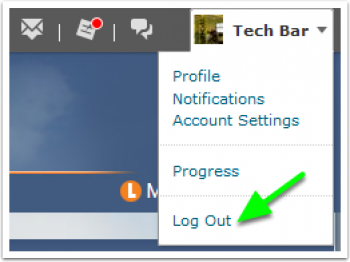

Step 1: Log in eLearn
Step 2: Click on Notifications

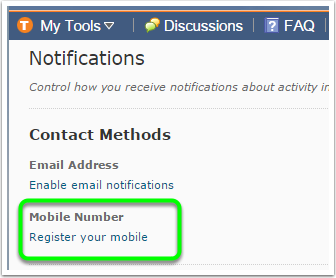
Step 3: Click on Register your mobile.
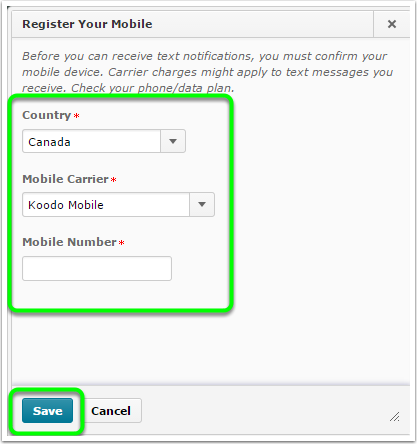
Step 4: Enter your Country, Mobile Carrier and Mobile Number and then click on Save.
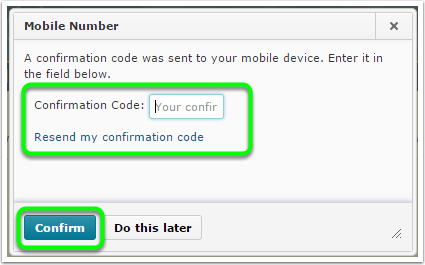
Step 5: You will receive your Confirmation Code via text message. Enter your Confirmation Code in the box and click on Confirm.
NOTE: This process may take a few minutes. If you do not receive a code within 5 minutes click Resend my confirmation code.
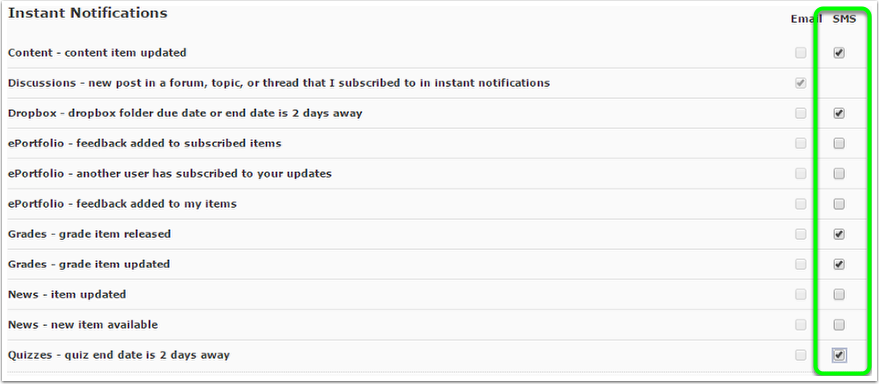
Step 6: Select Notifications
Click on the checkbox for the notifications you wish to receive by SMS. When finished click "Save"
Step 7: Log Out
Always remember to log out and close the browser